My npm Packages
A bit more than a year ago, I started two small React packages for working with keyboard input: react-keycast shows keystrokes on screen, and use-hotkeys-ts lets an app respond to shortcuts. I got both to an MVP and then left them there for a long time.
About a month ago, I came across TanStack Hotkeys, a new project from TanStack that tackles the same problem. I'd been poking at this space long before, so seeing a well-known project take it on was enough to make me open the repos again.
TanStack Hotkeys is a broader toolkit: it has scopes, element-specific shortcuts, and platform-aware Mod bindings. use-hotkeys-ts is much smaller. It handles key combinations and sequences, and that's about it for now. Looking at the two side by side gave me a few ideas.
Two keyboard tools
The first idea came from recording app demos. When viewers can see which keys you're pressing, they don't have to guess what just happened. That became react-keycast, a component that puts your keystrokes on screen.
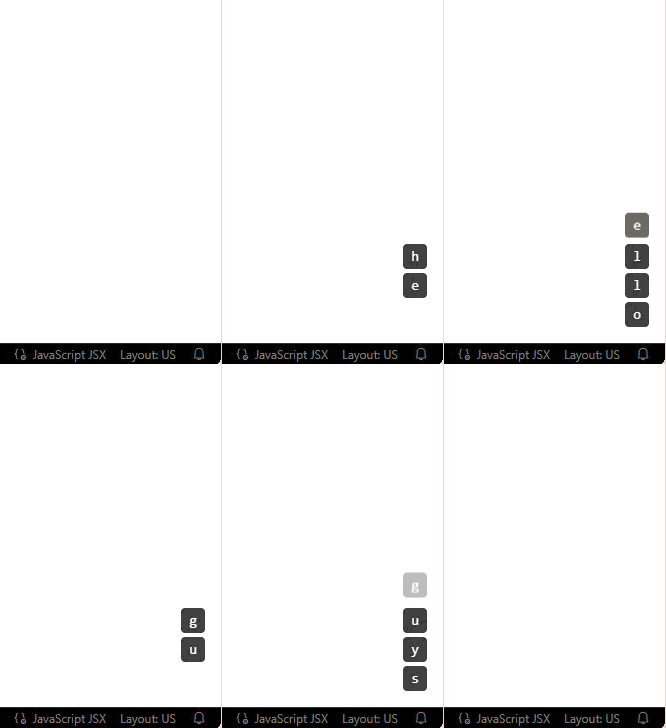
Then I thought about the other side: what if the app itself reacted to the keys? A reusable hook seemed like something I'd want in future projects, so I started use-hotkeys-ts. A component can listen for a shortcut like ctrl+s or a sequence like g h:
import { useHotkeys } from 'use-hotkeys-ts';

function SaveButton() {
  useHotkeys('ctrl+s', (event) => {
    event.preventDefault();
    console.log('Saving...');
  });

  return <button>Save</button>;
}
The tricky sequence case
The most fun I had was in 1.3.0, when I had to support two registered sequences where one is the start of the other: g h and g h i.
After g h, the hook can't know yet whether you're done or about to press i. So it waits for the configured sequence timeout. If i comes in time, it runs the g h i callback. If nothing comes, it runs g h. That small delay is the price of letting both bindings exist without the shorter one firing too early. Getting it right felt really good.
There was also a quieter question: what should happen while someone is typing in a form? The hook ignores shortcuts when the target is an input, textarea, select, or an editable element, so typing a "g" in a search box doesn't send you somewhere. Checkboxes, buttons, and similar controls still let shortcuts through. It's the kind of thing you never notice in a demo and immediately notice in a real app.
Learning to publish
Writing the feature turned out to be only half the job. I also had to figure out how versioning works and how to publish an update without breaking anything for people already using the package. At first, I wasn't sure which version number to change for an update. Learning when a change should be a patch or a minor release made me pay closer attention to what each release contained.
I'm honestly not sure how to read download numbers, but it's been nice to watch them go up week by week. Both packages are now past 1,200 weekly downloads.
Looking back
If I started over, I wouldn't let them sit at the MVP stage for a year. I'd keep going and actually build some of the ideas I had.
Still, the break helped. When I came back, I cared less about adding features and more about the small things: how the hook behaves in a form, what happens when two sequences overlap, what kind of change deserves a new version. That's where most of the real work turned out to be.
Next, I want to play with scopes and Mod bindings. I'm not promising anything, but I'm curious how far the hook can go while keeping the simple combination-and-sequence API I built it for.